日本語化
日本語未対応のSteamゲームを、日本語で遊ぶ
英語や中国語のまま売られている人気作を、有志の日本語化MODと画面翻訳オーバーレイでどう読むか。タイトルごとにMODの現状と、オーバーレイが役に立つ場面をまとめています。
タイトル別ガイド
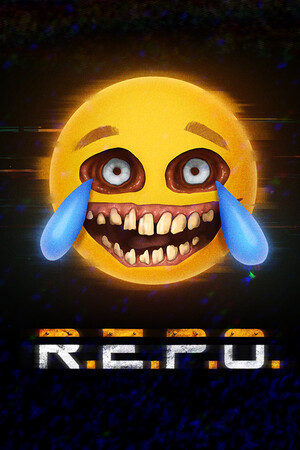
R.E.P.O.を日本語化する
Thunderstoreの日本語化MODはフォークが分かれ、対応バージョンの確認が要る。MODが崩れた時と英語ボイスチャットにオーバーレイ。
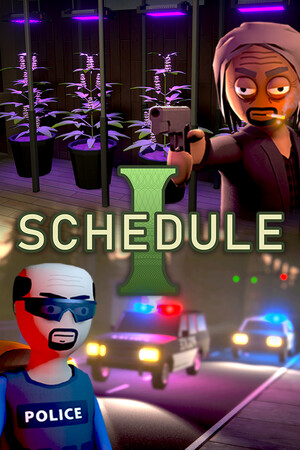
Schedule Iを日本語化する
内側の機械翻訳MODか、外側の翻訳オーバーレイか。同じ機械翻訳同士の使い分け。
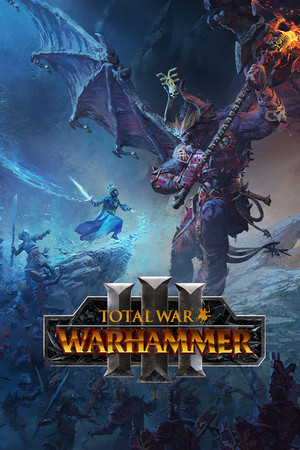
Total War: WARHAMMER IIIを日本語化する
Workshopの人力校正MODが主役。パッチやDLC直後の隙間と、ツールチップの多い画面にオーバーレイ。

Guildrunを日本語化する
デモ向けの有志MODと、製品版やMODが追いつくまでの間の読み方。

No More Room in Hell 2を日本語化する
製品版に追従する有志MODが主役。パッチ直後の隙間と、英語ボイスチャットの読み返しにオーバーレイと音声文字起こし。
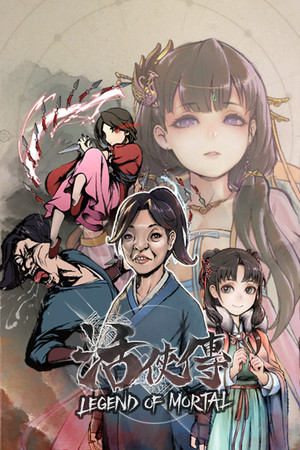
Legend of Mortal(活俠傳)を日本語化する
読む相手は英語でなく中国語。ふりがな付きの有志MODが充実、オーバーレイは更新直後と原文も読みたい人向け。
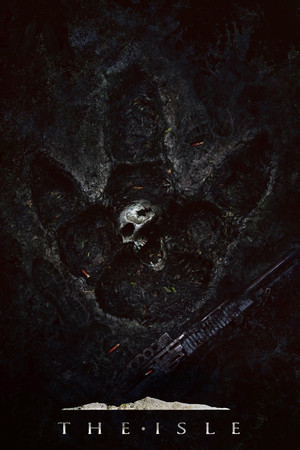
The Isleを日本語化する
日本語化MODが無い恐竜サバイバル。テキストは少ないので、読めない画面が出た時だけさっと訳す使い方。
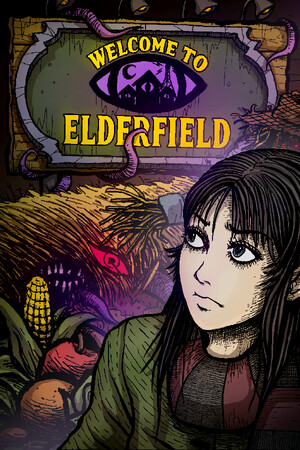
Welcome to Elderfieldを日本語化する
公式の日本語は未定。機械翻訳の有志MODと、ファイルに触らず英語の会話を読むオーバーレイ。
Playtoで遊ばれているゲーム
この中から英語学習に向くタイトルをジャンル別に選んだ一覧はSteamで英語学習に向くゲームにあります。
匿名統計に同意したプレイヤーが、単語を保存したり調べたりしたタイトルと、その時の言語ペアです。件数や順位は出していません。一度でも観測されたら載るので、人気順ではなく「動いた実績の地図」として見てください。専用ガイドがあるタイトルはリンクしています。
同意済みの集計データから月1回更新。掲載を望まないパブリッシャーの方はプライバシーポリシーの窓口へ。
日本語で読まれているタイトル
- Agefield High: Rock the School 英語→日本語
- Baldr Sky 英語→日本語
- Bewitching Sinners Demo 英語→日本語
- Bound by Love 英語→日本語
- Casualties: Unknown Demo 英語→日本語
- Celestia: Chain of Fate 英語→日本語
- Deponia Doomsday 英語→日本語
- Dolphin Up 英語→日本語
- HighFleet 英語→日本語
- Legends of Starkadia 英語→日本語
- LEGO The Hobbit 英語→日本語
- NEKOPARA Vol. 1 英語→日本語
- NTE: Neverness to Everness 中国語→日本語
- OMORI 英語→日本語
- Out of the Park Baseball 26 英語→日本語
- Pax Autocratica 英語→日本語
- ROTA: Bend Gravity 英語→日本語
- Schedule I 英語→日本語
- Shelves and Sorcery: Tidy Up the Enchanted Shop Demo 英語→日本語
- Soul Land: Awakening World 英語→日本語
- Spirit City: Lofi Sessions 英語→日本語
- STAR WARS: The Old Republic 英語→日本語
- Starbound 英語→日本語
- Stellar Blade 英語→日本語
- Survival Log 英語→日本語
- Swan Song 英語→日本語
- The Elder Scrolls: Arena 英語→日本語
- The Scroll of Taiwu : Beyond The Dome 中国語→日本語 · 簡体字中国語→日本語
- Wartales 英語→日本語
- WuLin Showdown 簡体字中国語→日本語
- 万象群侠传 中国語→日本語 · 簡体字中国語→日本語
- 愚人船 NARRENSCHIFF 英語→日本語
- 轮回修仙传 簡体字中国語→日本語
- 长生立志传 Demo 中国語→日本語 · 簡体字中国語→日本語
その他の言語で読まれているタイトル
- 007 First Light 英語→ルーマニア語
- [HERROR] Gas Station Case 英語→イタリア語
- AION 2 英語→ポーランド語
- Anomaly Company 英語→ロシア語
- Another Brick in The Mall 韓国語→ドイツ語
- Arknights: Endfield 英語→ベトナム語
- As Dusk Falls 英語→ロシア語
- ASTLIBRA Revision 日本語→中国語
- Atelier Resleriana 日本語→ベトナム語
- Atelier Resleriana: The Red Alchemist & the White Guardian 日本語→ベトナム語
- Avadon 3: The Warborn 英語→ドイツ語
- Barbarian 英語→ロシア語
- Battlefield 6 英語→ロシア語
- Bellwright 英語→フランス語
- Bills Must Be Paid 英語→トルコ語
- Black Desert 英語→ルーマニア語
- Blasphemous 2 韓国語→英語
- Bodycam 英語→フランス語
- Brave Escape 英語→フランス語
- Brotato 英語→ポーランド語
- Call of Duty: Black Ops III 英語→トルコ語
- Carrier Command 英語→フランス語
- Cee One Vee 英語→トルコ語
- CHRONO TRIGGER 日本語→英語
- Cities: Skylines II 英語→トルコ語
- Closer than Allowed: After the Bell 英語→ロシア語
- Cold Waters 英語→ポーランド語
- Combolands: Roguelike Citybuilder 英語→繁体字中国語
- Conan Exiles Enhanced 英語→ロシア語
- Coquette Dragoon: Volume One 英語→フランス語
- Corpse Party (2021) 英語→フランス語
- Creature Lab 英語→フランス語
- Crossfire: Sierra Squad 中国語→韓国語
- Danganronpa Another Episode: Ultra Despair Girls 英語→ロシア語
- DATE A LIVE: Ren Dystopia 日本語→ドイツ語 · 中国語→ドイツ語
- Date Everything! 英語→ポルトガル語
- DAVE THE DIVER 韓国語→英語
- Dishonored フランス語→英語
- Dominions 6 - Rise of the Pantokrator 英語→韓国語
- Dream about yoU 英語→韓国語
- Dyson Sphere Program 英語→ロシア語
- Escape from Tarkov ロシア語→ポルトガル語
- Esoteric Ebb 英語→フランス語
- Fate/EXTELLA 英語→ポルトガル語
- Fate/EXTELLA LINK 英語→ポルトガル語
- FINAL FANTASY II 韓国語→英語
- Floor Plan 2 VR スウェーデン語→ロシア語
- Fofumia 英語→ロシア語
- Geo-Political Simulator 2026 Edition 英語→ロシア語
- Goblin Camp 英語→イタリア語
- Granblue Fantasy: Relink 英語→ロシア語
- Grand Theft Auto V Enhanced 英語→オランダ語
- Grey Hack 英語→フランス語
- Guild Wars 2 英語→ポーランド語 · 英語→ロシア語
- Halo: The Master Chief Collection 英語→中国語
- Hearts of Iron IV ロシア語→フランス語
- Homeworld 3 英語→チェコ語
- Inscryption 日本語→英語
- inZOI 日本語→英語
- Javols VR 日本語→英語
- JK Girl Samurai - AOI no mon ロシア語→ポーランド語
- Kendo Warrior 英語→ベトナム語
- KINGDOM HEARTS -HD 1.5+2.5 ReMIX- 英語→ポルトガル語 · 英語→繁体字中国語 · 日本語→韓国語
- Life is Strange 2 英語→中国語
- Lou's Lagoon スペイン語→ドイツ語
- Mad Father 英語→ドイツ語
- Mafia: Definitive Edition 英語→ギリシャ語
- Magical Girl Witch Trials 日本語→スペイン語
- Memories Off Sousou ~Not always true~ 日本語→ロシア語
- METAL GEAR SOLID V: THE PHANTOM PAIN 英語→ポーランド語
- Moomintroll: Winter's Warmth スウェーデン語→英語
- Moonlight Peaks 英語→スペイン語
- Morimens 日本語→韓国語
- Muv-Luv 日本語→英語
- My Time at Sandrock 英語→ポーランド語
- NBA 2K27 英語→ロシア語
- NICE TO MEET YOU, AGAIN 英語→ロシア語
- No Mercy 英語→フランス語
- No, I'm not a Human 英語→ルーマニア語
- On Hold - Call Center Simulator 英語→フランス語
- OPERATOR ドイツ語→英語 · 英語→ドイツ語 · 英語→フランス語 · 英語→ポーランド語
- Orwell: Ignorance is Strength 英語→ドイツ語
- Orwell: Keeping an Eye On You 英語→ドイツ語
- Paranoia: Deliver Me 日本語→ドイツ語
- Path of Exile 2 英語→ポーランド語
- Persona 5 Royal 英語→ポーランド語
- Plague Inc: Evolved 英語→チェコ語
- Ragnarok: The New World 英語→ドイツ語
- Red Dead Redemption 2 英語→ルーマニア語
- Roadwarden 英語→繁体字中国語
- Rune Factory: Guardians of Azuma 英語→イタリア語
- Sekiro: Shadows Die Twice - GOTY Edition 英語→イタリア語 · 日本語→英語
- SGS Okinawa 日本語→英語
- Silly Polly Beast 英語→ポルトガル語
- Sovereign Tower Demo 英語→スペイン語 · 英語→イタリア語
- STAR WARS Zero Company 英語→ロシア語 · 日本語→ドイツ語
- Stuck In Time 英語→フランス語
- SurrounDead 英語→中国語
- Tabletop Simulator 英語→ロシア語
- Tested on Humans: Escape Room 英語→フランス語
- The Afterglow of Grisaia 日本語→ドイツ語 · 日本語→英語
- the cabin game 英語→ロシア語
- The Dungeon Of Naheulbeuk: The Amulet Of Chaos 英語→ポーランド語
- The Elder Scrolls V: Skyrim Special Edition 英語→ロシア語 · ロシア語→フランス語
- The House in Fata Morgana 韓国語→英語
- The Isle 英語→ベトナム語
- The Necromancer's Tale 英語→フランス語
- The Witch's House MV 英語→中国語
- Throne and Liberty 英語→ハンガリー語 · 英語→ポーランド語
- Tiny Tina's Wonderlands 英語→ポーランド語
- Tomb Raider Game of the Year ドイツ語→ロシア語
- TOUCHSTARVED Demo 英語→中国語
- Trade Bots: A Technical Analysis Simulation Demo 英語→フランス語
- Trade Bots: A Technical Analysis Simulation Demo 英語→フランス語
- Travellers Rest 英語→ルーマニア語 · ルーマニア語→英語
- TROUBLESHOOTER: Abandoned Children 英語→フランス語
- Until Then 英語→ポーランド語
- Urban Strife 英語→チェコ語
- Vanguard Galaxy 英語→トルコ語
- Victoria 3 英語→ドイツ語
- Vivaldia 2 日本語→英語
- VRChat 英語→ロシア語
- WAKFU 英語→韓国語
- Where Time Stood Still 英語→フランス語
- Where Winds Meet 英語→ポーランド語
- Wildermyth 英語→ポーランド語
- Wow Dance 英語→ポーランド語 · 英語→ロシア語
- Wuthering Waves 英語→ロシア語
自分のゲームで試す
Playto Liteは無料で、固定のキャプチャ範囲を時間制限なしに読めます。買う前に、自分のゲームがどのくらい読めるかを確かめられます。