
Walkthrough
What using Playto is actually like
Feature lists don't tell you much about what an evening with a tool feels like. This page is the other thing: what actually happens on day one, what you're doing on your fourth session, and what it's like when it gets something wrong.
Five beats, in the order you meet them. Each one links to a longer piece if you want the detail.
01
The first evening
Setup is two screens. Which languages you're working between, then a download.
The download is the slow part, because the translation model is a few gigabytes and it runs on your own machine rather than a server. You aren't stuck watching it. You can pause it, wander around the app, or run a guided tutorial against a mock game scene that doesn't need the engine at all. When it finishes, one button takes you into a live capture.
Then you launch the game you actually wanted to play, draw a box over the dialogue or point at it with your cursor, and lines start arriving with their meaning underneath. Most people know within about ten minutes whether this is going to work for their game.
02
What you're actually doing while you play
Less than you'd think, and that's deliberate.
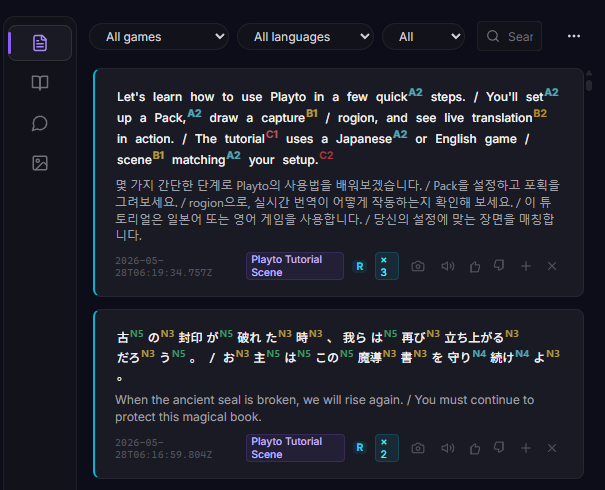
You read the original line first and take what you can from it. Then your eyes drop to the meaning to check. Most lines stop there. Occasionally a word is worth keeping, so you save it, and get back to the game.
The temptation on a first session is to save everything. That's the single most reliable way to abandon this in three weeks, when the review pile has four hundred items in it. Five to ten saves in a session is plenty, and plenty of sessions should be zero.
Everything you read stays in a log beside the game, so nothing is lost by not acting on it in the moment.
03
The same game gets better the longer you stay in it
This is the part that surprises people.
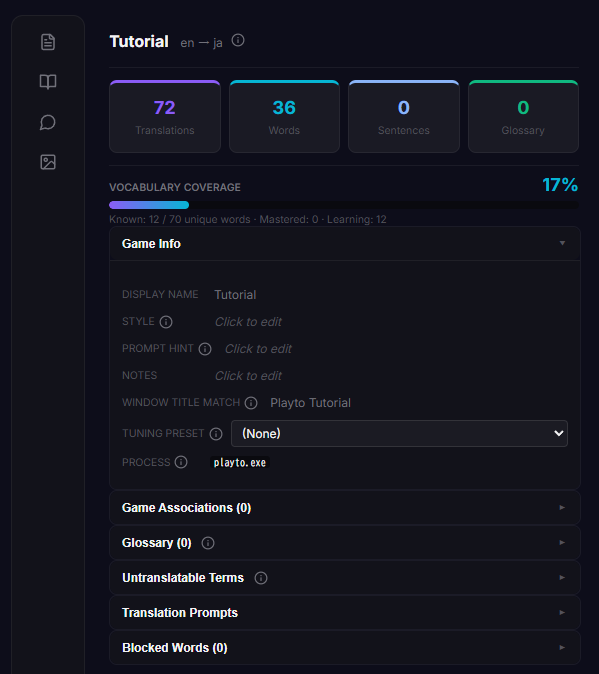
Every game you play gets its own profile, made automatically the first time Playto sees the window. It holds the capture setup, a glossary, and a list of terms that shouldn't be translated at all.
You leave it empty at first. Then a character's name keeps coming out as a common noun, or an invented item keeps changing between two different renderings, and you spend five seconds pinning the version you want. From then on it's correct everywhere. Twenty well-chosen entries do more than two hundred speculative ones, and the game you've put thirty hours into reads noticeably cleaner than it did on night one.
04
Five minutes after you stop
Saved words that nobody looks at again are just a list with good intentions attached. The closing ritual is deliberately small, because a small one survives a bad week and a thorough one doesn't.
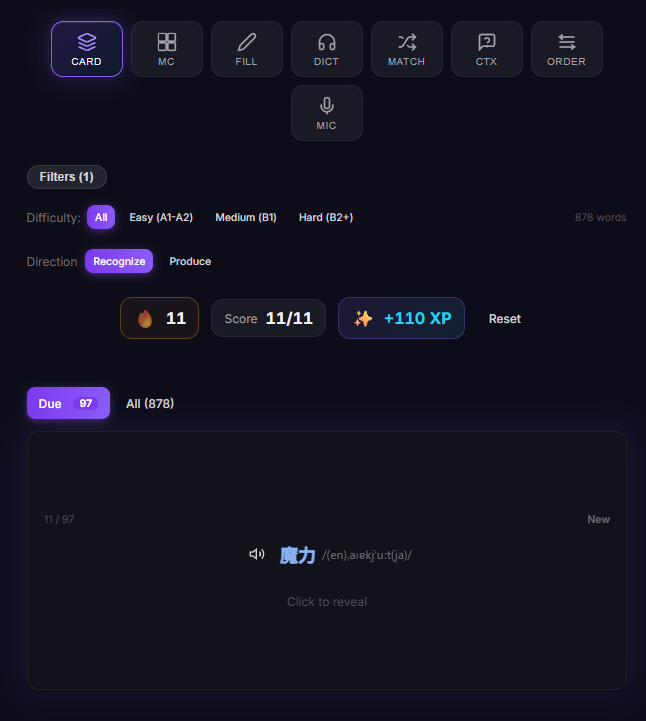
When you stop a session, Playto shows you what came up and lets you keep or drop it while you still remember the scene. That's the minute that matters. After that it's a few cards the next morning, scheduled so the things you keep missing come back sooner and the things you know stay out of your way.
There are eight review formats. You are not expected to use eight. Pick the one that suits you and ignore the rest.
05
When it gets something wrong
It will, and you should know what that looks like before you decide.
Game text arrives without the things a human translator leans on. No speaker, no tone, no scene, often no sentence before it. A line of dialogue on its own is genuinely hard, and sometimes a name comes out as a noun or a joke lands flat. This is a property of the problem rather than a bug we're about to fix.
What you can do about it: fix one line, ask for another attempt, pin a term so it's right forever after, or let it go. The last one is correct far more often than people expect. A useful check is whether you'd have noticed at all if you hadn't been looking for it.
The thing that keeps this workable is that you're reading the original as the main text. The meaning is a hint you lean on, and a hint being imperfect costs you much less than a translation you're depending on.
What it isn't
It reads text on the screen, so it can't do voiced cutscenes with no subtitles.
It's strongest where text sits still and waits for you. Fast action games where labels move with the camera, or combat logs that scroll away, are harder for any tool that works from the screen.
And it's the input half of learning a language, not the whole of it. Reading and vocabulary grow a lot; grammar and speaking need something else alongside.
Try it on a game you already own
There's a free version, which is the honest way to find out whether it fits how you play before deciding anything.