
From reading to remembering — handling what Playto captures
This is the second beat of what using Playto is like. The first was the opening evening. This one is the part you actually repeat: what you do with the lines as they arrive, and how much of it is worth keeping.
Most of it, you just read
The lightest thing you can do with a line is nothing. Read the original, take what you can, glance at the meaning, keep playing.
Most of what crosses the screen should stop there. If a word is unfamiliar but you got the sentence anyway, that word did its job as exposure and doesn’t need to become homework. Clicking it for a definition costs nothing and commits nothing, so do that freely. Everything you read is kept in a log beside the game either way.
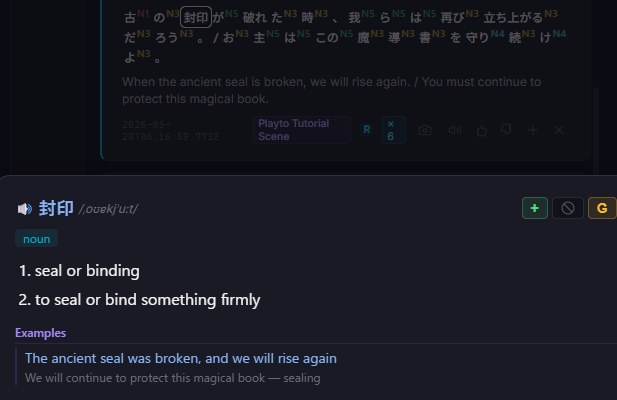
When a word is worth keeping
Three signals, and any one of them is enough. It stopped you. You’ve now met it more than once. Or it’s a word you’d plausibly use outside this game.
What that rules out is most of what feels tempting on a first session: flavour text you’ll never see again, words you worked out fine from context, and proper nouns, which belong somewhere else entirely.
Five to ten saves in a half-hour session is plenty. This sounds stingy until you’ve watched someone save eighty words in one evening and then quietly stop opening the app three weeks later. The saved list is where this method dies, and it dies from enthusiasm rather than laziness.
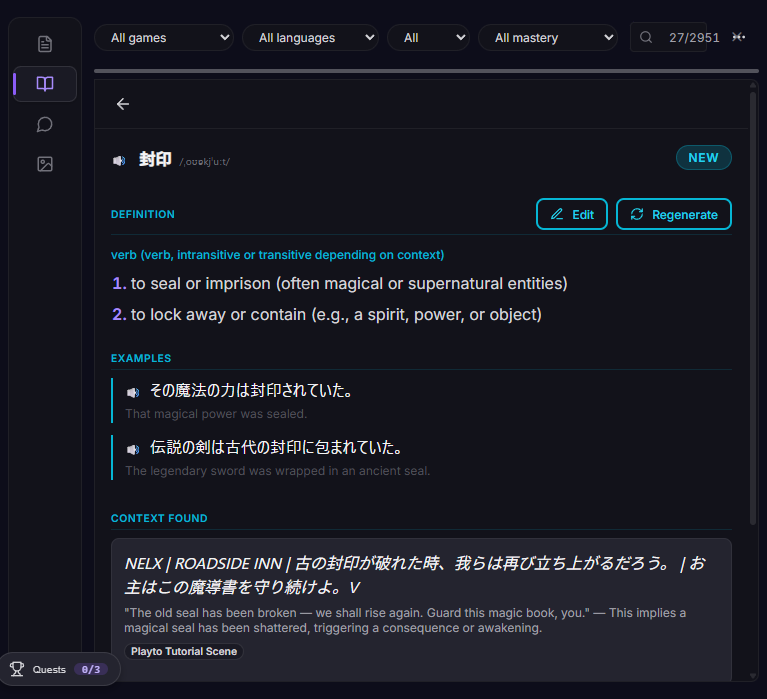
When the whole line is the thing
Sometimes the vocabulary wasn’t the point. A phrasing you liked, a grammar pattern that finally made sense, a line you want to be able to produce yourself one day. Those get saved as sentences instead, on their own list.
The rule that works: save the sentence when the meaning came from how the words fit together, not from one new word.
The panel you shouldn’t open by default
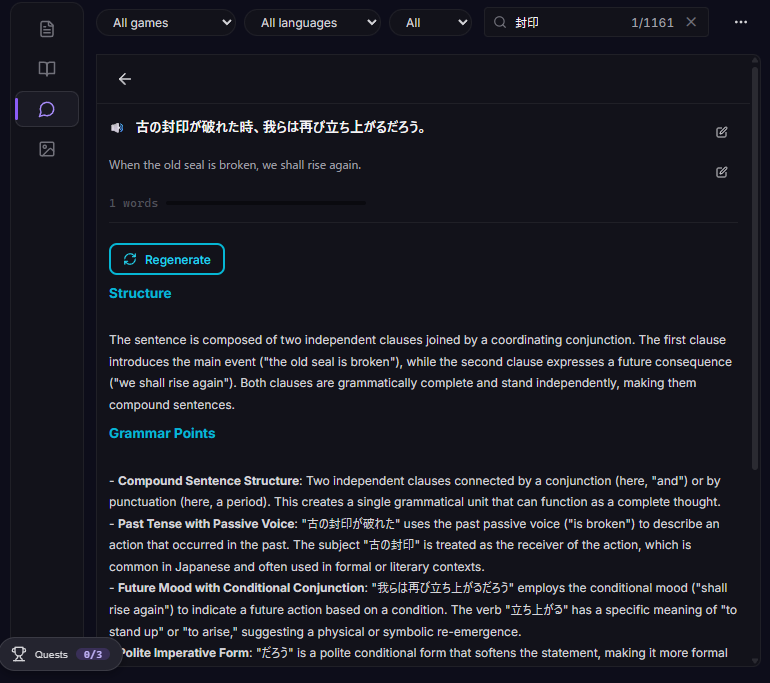
Any line can be opened for a deeper look, with an analysis of what it means in context, the difficult words pulled out, and a grammar breakdown on demand.
It’s genuinely good and it’s a trap. Open it on every line and you’ll read fewer lines, save less, and finish the evening having barely played. Save it for the sentence you’re actually stuck on.
Then keep playing
That’s the whole loop. Read, occasionally keep, mostly carry on. The discipline is in what you skip.
The next beat is what happens when you stay with one game long enough for it to start improving.
Playto has a free version on Steam if you want to try the loop on a game you already own.