
When the translation feels off — four levers, and how to choose
The last beat of what using Playto is like. The first four covered everything going well. This is the other half, and it’s worth reading before you decide whether this suits you.
It will be wrong sometimes
Game text arrives stripped of the things a translator normally leans on. No speaker, no tone, no scene, often not even the line before it. A single line of dialogue with none of that context is genuinely hard, and no amount of model size fixes it outright. There’s a longer piece on why if you want it.
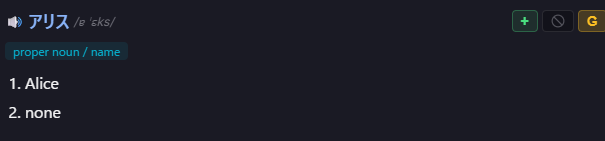
So sometimes a name comes out as a common noun, a joke lands flat, or a tense slips. What matters is what that costs you, and the answer is less than you’d expect, because the original is the thing you’re reading. The meaning is a hint you lean on, and an imperfect hint is a much smaller problem than an imperfect translation you’re depending on.
The question to ask first
Is this a one-off, or is it going to keep happening?
Most of what feels off is the first kind. Those need nothing. The ones worth your attention are the ones about to recur, and you can usually tell within a couple of sightings.
Four responses, in rough order of usefulness
Pinning a term is the one that pays. When the same name or item keeps coming out wrong, one entry fixes every future line containing it. This is the lever to reach for whenever the problem is recurring.
Asking for another attempt helps when something has actually changed, like a glossary entry you just added or a different model. Same input and same model will usually give you the same answer.
Fixing a single line is worth it only for a line you saved and will see again in review. Don’t spend time correcting things you’ll never revisit.
Ignoring it is right more often than any of the above. A useful self-check: would you have noticed this was off if you weren’t looking for it? If not, let it go. The cost of chasing every wobble is fewer evenings where the game itself actually moved forward.
What this adds up to
You get a tool that’s right most of the time, wrong in ways you can usually predict, and improvable on the games you care about. That’s a fair description of the state of the art for reading a game screen live, and we’d rather you knew it going in.
If something is actually broken rather than merely imperfect, there’s a Guide button inside the app with around fifty task-shaped topics, and Contact us reaches us directly.
Playto has a free version on Steam. Trying it on a game you already own is the only way to know how it does on the text you actually care about.